Introducing Batches: Run Your Agents in Bulk
Upload a CSV, choose a Custom Agent, and run the same high-stakes workflow across every row with structured results in one place.

Today we're launching Batches, a simple way to run a Custom Agent across a whole table of inputs.
Grep is built for repetitive workflows you cannot afford to get wrong. You can create a Custom AI Agent in minutes by describing the work in plain language. The agent can use more than 250 skills and over 100 data integrations in Grep. But once that agent works for one input, the next question is obvious: how do you run it across an entire CSV?
That is exactly what Batches are for.
One Agent, Every Row
I built a Custom Agent for AI vendor onboarding. It checks whether each vendor is SOC 2 Type 2 compliant, whether it offers zero data retention, and what types of models it uses.
That helps with a recurring problem. Every year, our SOC 2 process requires us to recertify that our vendors still meet our compliance requirements. Reviewing each vendor by hand means repeating the same research, checks, and spreadsheet work again and again.
With Batches, I can run the same vendor due diligence agent across a CSV of all our vendors.
How a Batch Works
- Create a batch. I named this one "SOC 2 AI vendor requirements check."
- Choose the agent. I selected the AI vendor due diligence agent I had already built.
- Upload the inputs. I added a CSV containing the vendor list.
- Start the run. Grep queued every row and began running the agent across the inputs.
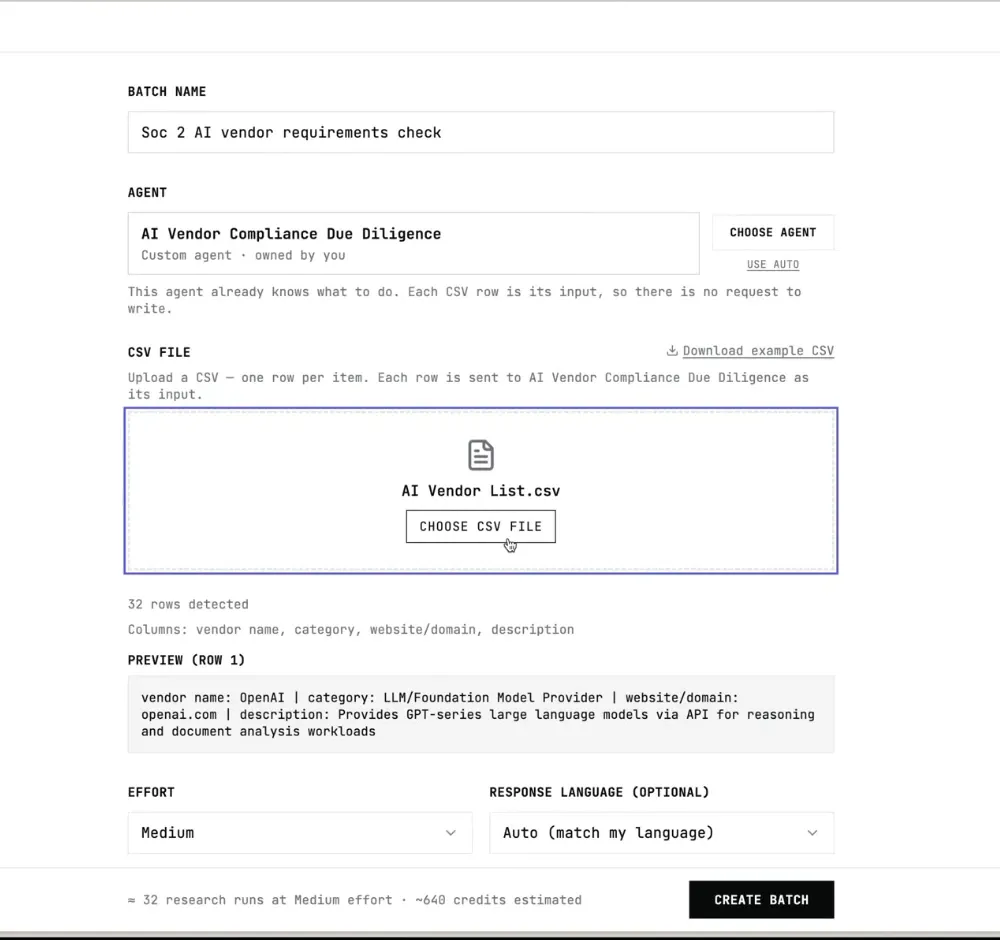
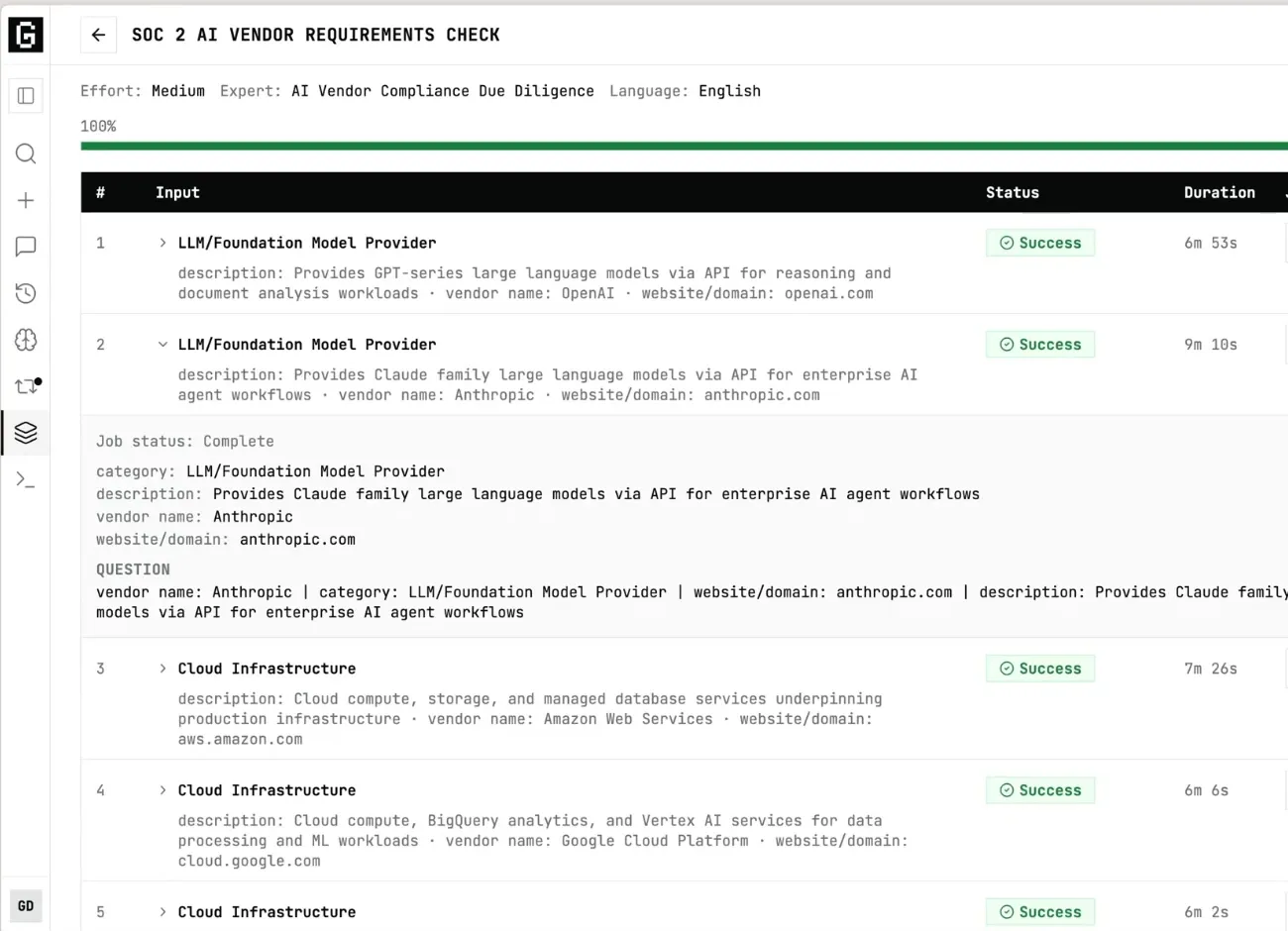
By default, the batch runs jobs in groups of five. Enterprise customers can use more parallel capacity. While the batch runs, you can inspect the inputs, open any job in progress, and see the agent set up its workspace and follow its procedures.
The important part is consistency. Every vendor goes through the same agent, instructions, and review criteria.
Results in the Format Your Team Uses
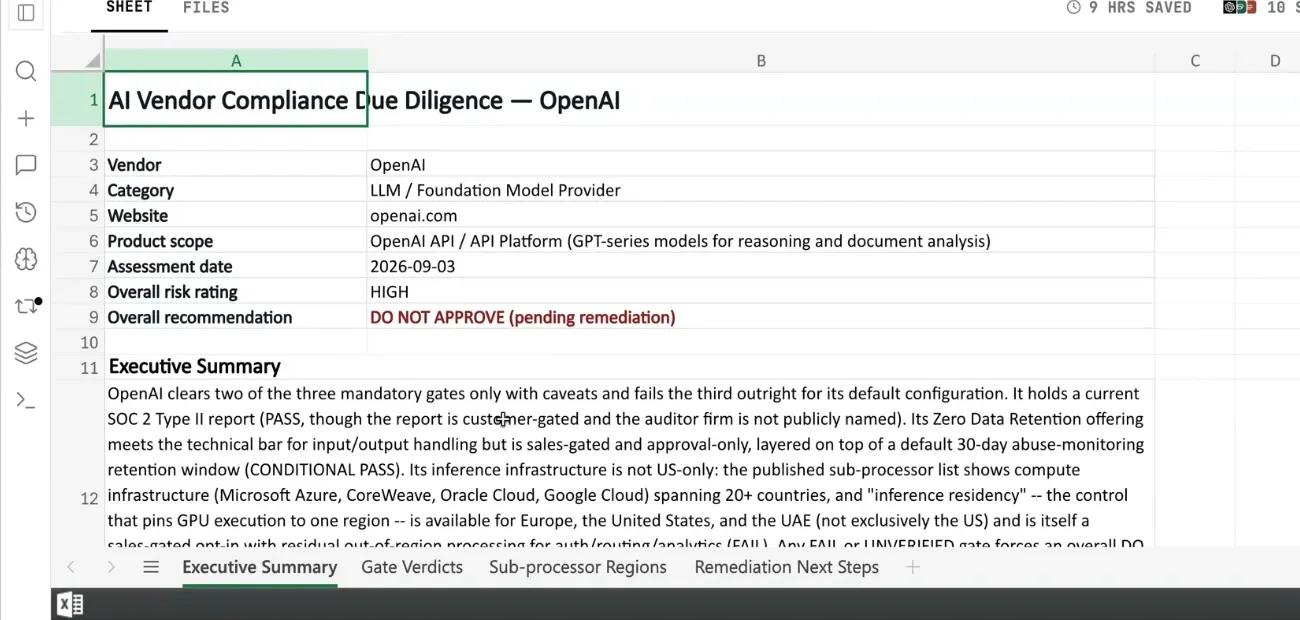
When I created the vendor due diligence agent, I asked it to produce a vendor review spreadsheet. That is the format compliance teams already know, so every completed row becomes part of a familiar review artifact.
From a Working Agent to a Repeatable Process
For this vendor review, I estimate Batches saved about 10x the time the same work would have taken by hand. The larger point is simpler: once an agent follows the right process for one input, Batches let you apply that process to the rest of your table without rebuilding the workflow.
Use Batches for vendor reviews, company research, compliance checks, or any other job where the inputs change but the method stays the same.
We're just getting started.
We're Participating in Y Combinator
We're participating in Y Combinator's Fall 2026 batch as we continue building Grep for high-stakes, repetitive work.
If you're an enterprise buyer, the YC Fall 2026 Early Access Programme is a chance to preview companies in the batch, including Grep. We'd love for you to join us.