Build agents
Choose an output type
What an agent hands back every run, and how to pick between the twelve.
Step 1
Pick by who reads it
The type is the container. Choose it for the reader, not the subject.
Every agent produces exactly one artifact each run. The subject rarely decides which one — the reader does. The same due-diligence work is a research report for an analyst, a spreadsheet for a review queue, a slide deck for a committee and a decision for someone who just needs the call.
- Ask who opens the result, and what they do with it next.
- Ask whether a person or a system is on the other end. A system wants the schema, not the artifact.
- Set the type before you test the agent, so what you evaluate is what it will actually produce.
Step 2
Choose it in the builder
OUTPUT is step 4 of 7.
In the agent builder, OUTPUT is step 4 of 7 — the rail calls it “Artifact type and data contract”. You can jump straight to it from any step. Under OUTPUT TYPE the picker lists twelve artifacts, each with the description the catalogue gives it.
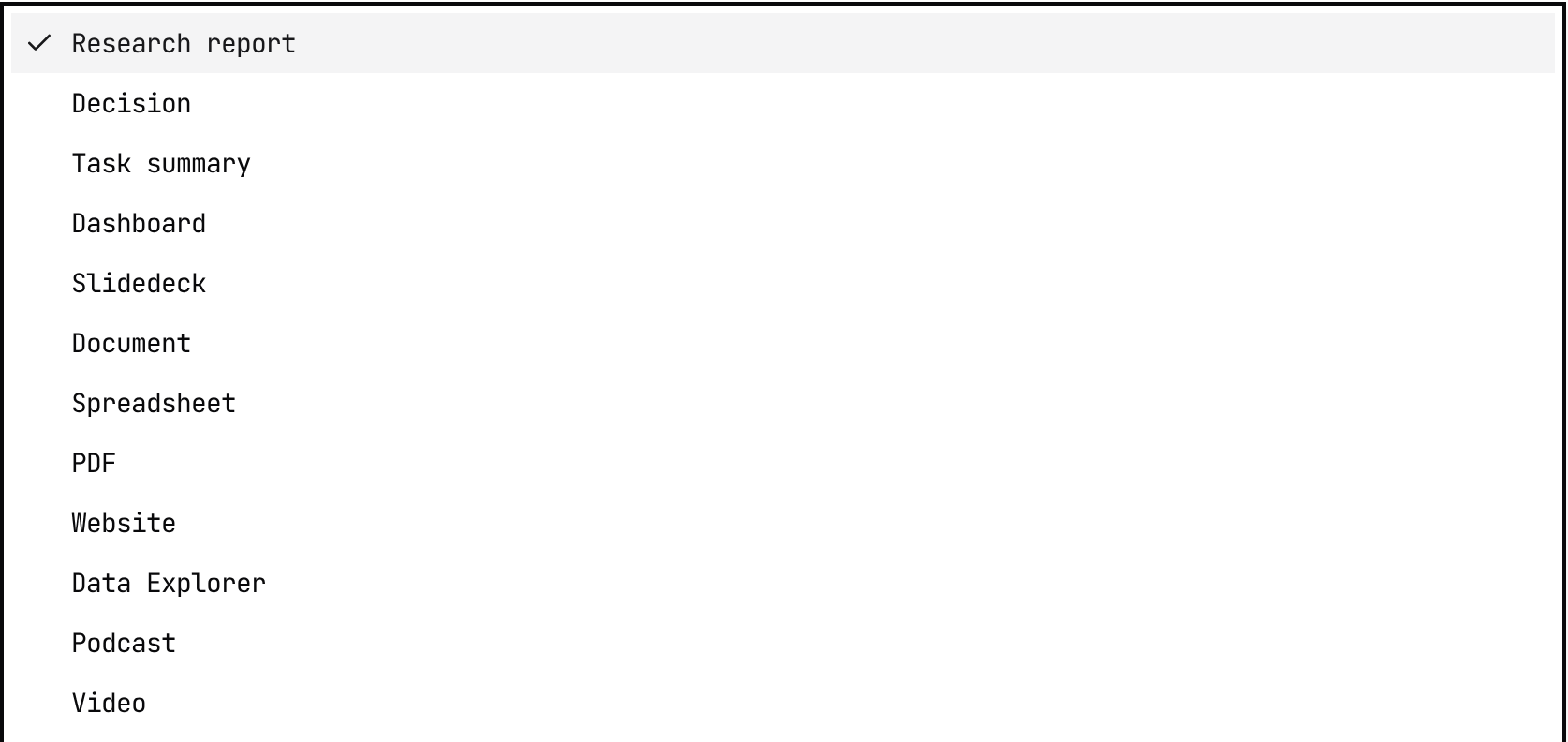
Below the picker sits DEFAULT OUTPUT SCHEMA — an optional JSON Schema the API uses for structured output when this agent is called. A caller-supplied json_schema always wins. It applies to /runs calls and shows up in the API Playground when this agent is selected.
Artifacts you can hand an example file to also get an OUTPUT TEMPLATE box: pick a file for the agent to follow each run, or upload a new one. Leave it empty and the agent formats the file itself. Dashboard, Slidedeck, Document, Spreadsheet, PDF, Website and Data Explorer have one; Research report, Decision, Task summary, Podcast and Video do not.
Checked against the product on October 15, 2026
Step 3
Every type, side by side
What each one is for, and one instruction that gets a good version of it.
| Type | What the menu calls it | When to use it | An instruction that works |
|---|---|---|---|
| Research report | Structured markdown research report | A person has to weigh the evidence and the judgement behind the answer. | Write a concise research report with an executive summary, key findings, evidence table, confidence level, recommended action, and source list. |
| Decision | Evaluate configured decisions with Jev against the completed research. | The reader needs a call (approve, refer, decline) made against set criteria, with the research behind it. | Decide whether the company meets our onboarding policy: approve, refer or decline, naming the policy clause and the evidence behind the call. |
| Task summary | Perform the task and summarize what was done, skipped, or could not be completed in chat. | The agent does a job rather than writing about one, and the reader needs to know what happened. | After the task, list what was done, what was skipped and why, and anything that still needs a person. |
| Dashboard | Chart.js/D3 data dashboards | The answer is metrics, statuses and flags across many entities, to be scanned rather than read. | Create a dashboard with summary metrics, priority flags, grouped findings, comparison tables, and drill-down notes for each high-risk item. |
| Slidedeck | HTML presentations, pitch decks (zero-dependency, scroll-snap CSS) | The audience will meet the answer in a meeting, and it needs an arc rather than a pile of findings. | Create a 10-slide executive deck with a clear title, decision context, key findings, evidence slides, risks, recommendation, and appendix sources. |
| Document | Native .docx Word documents — reports, proposals, briefs, memos delivered as files | The result is a durable written asset someone will edit, share or store. | Write a polished document with title, audience, purpose, background, step-by-step guidance, tables where useful, and a final checklist. |
| Spreadsheet | Native .xlsx Excel spreadsheets with formulas, formatting | The result is rows and columns people will sort, filter, import or reconcile. | Return a spreadsheet-ready table with one row per entity, standard columns, allowed status values, confidence, rationale, and source URLs. |
| Native .pdf documents generated with React-PDF | The deliverable has to look identical for every recipient — an attachment, an evidence file, a review packet. | Create a PDF-ready report with cover title, summary, findings, evidence table, risk assessment, recommendation, and source appendix. | |
| Website | Landing pages, marketing sites, portfolios | Readers should browse and jump around, and a link is the natural way to share it. | Create a concise website with clear navigation, a top summary, sections for findings and evidence, and a source-backed conclusion. |
| Data Explorer | Interactive data tables, filters, visualizations | There are many records and the reader needs to filter and drill in before deciding. | Create a data explorer with one record per finding, filters for status and severity, grouped evidence, source links, and drill-down notes. |
| Podcast | Multi-speaker audio discussions with HTML player | The audience will listen — commuting, prepping for a meeting, catching up. | Create a five-minute audio briefing script with opening context, key findings, evidence highlights, risks, recommendation, and closing recap. |
| Video | AI-generated video (explainer, cinematic, slide-based) | The result teaches a process, and narration plus visuals carry it better than prose. | Create a short narrated video plan with scene list, voiceover, on-screen text, visual callouts, and a concise closing recommendation. |
| Structured output only | JSON output schema only — no report, no artifact | An API caller wants the fields and nothing else. Only some workspaces see it in the picker. | Define the output schema in this step; the run returns it with no report or file. |
| Structured JSON | The schema field beneath the picker | A system, not a person, consumes the result. It rides alongside any artifact above. | See its own guide: define the fields a downstream system needs, with enums for anything it will branch on. |
Checked against the product on October 15, 2026
Step 4
Tell the agent what good looks like
The type picks the container. The instructions decide whether what lands in it is any use.
Add a short output instruction to the agent instructions or the relevant skill, so the agent knows what good looks like. The right-hand column above is a working example for each type — name the sections you expect, the fields, or the scenes.
Step 5
Check before you ship it
Six things worth confirming on the first real run.
- The audience and use case are clear.
- The agent instructions describe the expected sections, fields, or scenes.
- Important claims include evidence or source links.
- The output can be reviewed without guessing what each field or section means.
- If another system consumes the result, the schema and allowed values are stable.